The Advisor
Ask your engineering data questions — with an AI that runs on your own machine
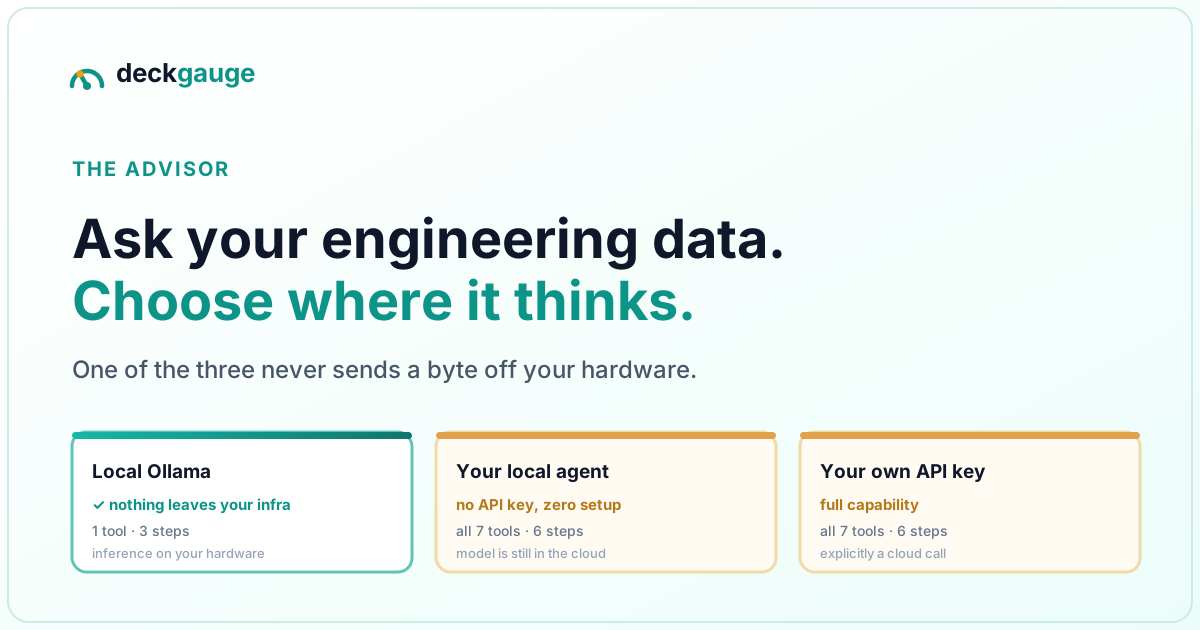
The short version.
- The Advisor is a chat panel over one board's real data — it answers by calling tools, not by guessing.
- Three ways to give it a brain, with genuinely different privacy properties. Pick deliberately.
- Ollama is the fully-local one. Nothing leaves your infrastructure. It also gets one tool and three steps — a real limit, not a footnote.
- The local-agent bridge is not local inference. It uses the Claude Code or Codex already on your machine, so there's no API key — but the data still reaches that agent's cloud model.
- It cannot change anything. All seven tools are read-only, and that is a design decision, not a gap waiting to be filled carelessly.
What is the Deckgauge Advisor?
The Advisor is a chat panel attached to a single board in Deckgauge, the open-source self-hosted engineering intelligence platform. You ask a question in plain language — "why did our lead time jump this sprint?" — and it answers by calling read-only tools that fetch real numbers from your connected Jira, GitHub, GitLab and Azure DevOps data. When the reply finishes, a row of chips shows which tools it actually called, so you can see what it looked at rather than taking the answer on faith.
The part worth the article is that you choose the model, including one that never leaves your hardware. Most engineering-intelligence products ship an AI assistant wired to the vendor's own cloud, which means your commit history and ticket text become someone else's inference traffic. That is a reasonable thing to refuse.
What are the three ways to give it a model?
These are not three tiers of the same thing — they differ in where inference happens, which is the only question that matters if you care about data residency:
| Local Ollama | Local-agent bridge | Your own API key | |
|---|---|---|---|
| Where inference runs | Your hardware | Anthropic or OpenAI, via the agent | Anthropic |
| Does board data leave your infrastructure? | No | Yes | Yes |
| Setup | Base URL + model name | None — run one command | API key + model name |
| Needs an API key? | No | No | Yes |
| Tools available | 1 (team overview) | All 7 | All 7 |
| Reasoning steps per answer | 3 | 6 | 6 |
| Best for | Data that must not leave the building | Individual engineers who already run a coding agent | Teams who want full capability and accept the hop |
When the bridge is connected it takes priority over a saved provider automatically, so an engineer running a local agent gets it without changing the instance's configuration.
How does the fully-local path work, and where does it fall short?
Point the Advisor at an Ollama instance —
a base URL such as http://localhost:11434 and a model name — and inference happens
on hardware you control. No API key, no vendor, no egress. For an organisation whose delivery
data cannot go to a third party for contractual or regulatory reasons, this is the difference
between having an AI analyst and not having one.
Now the honest part, because you would otherwise discover it yourself an hour in:
The local tier is given one tool and three steps. A cloud-backed Advisor gets
all seven tools and up to six tool-call round trips per answer. An Ollama-backed one gets
get_team_overview and a ceiling of three.
The reason is mechanical rather than arbitrary. On CPU-only inference every additional step re-processes a growing prompt prefix, so six round trips is the difference between an answer in seconds and an answer in tens of minutes. And handing a small model seven similar tools reliably produces worse answers than handing it one — it picks wrong, then reasons confidently from the wrong data. The trim fails closed: if the expected tool is absent the set is empty rather than falling back to everything.
So calibrate accordingly. A locally-hosted Advisor answers "how did this team do over the last 90 days?" well. It is not the right tool for "walk me through PLAT-411's history across four systems" — for that you want the full tool set, which means accepting the network hop or asking that question from the board UI instead.
What about using the coding agent you already have?
If Claude Code or Codex is installed and signed in on your machine, one command —
pnpm deckgauge:advisor — starts a small host-side bridge that detects the agent,
spawns it, and opens an
Agent Client Protocol session
declaring Deckgauge's MCP server as that session's tool source. It listens on
127.0.0.1 only. Open a board's Advisor panel while signed in and the panel hands
the bridge your own session token; the panel flips to "Connected" and every question routes
to your local agent.
No API key, no model configuration, no second LLM bill. It is the nicest path to set up — and it is the one most likely to be misread, so plainly:
This is not local inference. The agent runs locally; the model it talks to does not. Whatever a Deckgauge tool call returns is sent on to Anthropic or OpenAI as part of that agent's normal conversation — exactly as if you had pasted the same data into Claude Code yourself. The bridge removes the setup step, not the network hop.
Two further edges worth knowing. The bridge runs headlessly, so it answers ACP permission requests itself: it auto-approves read and fetch calls and denies every destructive call — file edits, deletes, moves, shell execution. That gate only fires when the agent asks for permission at all, and an unrecognised tool kind falls through to approve. It is a checkpoint on unattended local mutation, not a sandbox. And the token authenticating your agent's tool calls is passed as a command-line argument, so any other user on the host can read it from a process listing — fine on your own laptop, not on a shared box.
What kinds of question actually pay off?
The seven tools split into analytics and board content, and the second group is what makes the Advisor more than a chart-reader — it can look at what is written on the board, not just the metrics derived from it:
| Ask | What it calls |
|---|---|
| "How did this team do over the last quarter?" | get_team_overview — PRs merged, median cycle time, active developers, AI-assisted share |
| "Whose throughput dropped recently?" | find_slowdowns — against each developer's own baseline, not against each other |
| "Who is actually using the AI assistant?" | get_ai_breakdown — AI-assisted PR share per developer |
| "What happened to PLAT-411?" | get_ticket_timeline — one unified timeline across all four sources |
| "Which items have no description?" | list_board_rows — filtered, paged, with a total match count |
| "What are this board's statuses and groups?" | get_board_structure — with ids, plus each source's sync allow-list |
| "Why isn't SOE-88 on this board?" | list_excluded_rows — the deletion blacklist that keeps it off |
That last one is quietly the most useful in practice. "An issue exists in Jira and is not on the board" is a genuinely confusing state, and the answer is usually that someone deleted the row months ago, which recorded a permanent sync exclusion. Being able to just ask beats reading the sync code.
On paging: a board with hundreds of rows does not fit in one response, so
list_board_rows returns a page plus the total number of rows matching the filter,
and the Advisor is instructed to compare the two and say when it is looking at a partial list.
"5 of 340 rows have no description" is a different sentence from "5 rows have no description",
and a tool that cannot tell them apart will confidently write the wrong one.
Can it perform actions on your board?
No — and deliberately not. Every one of the seven tools is read-only. Each
requires at least Viewer access on the board being asked about, re-checked on the server for
every call rather than only when the panel opens. Nothing behind them writes to Postgres,
Jira, GitHub, GitLab or Azure DevOps. Jira in particular is a strictly read-only client
throughout Deckgauge: every call is a GET.
Two design details are worth naming, because they are what makes the guarantee more than a promise:
- The board is not a tool input. No tool takes a board id. The board is fixed by the panel you opened, checked against your access, and supplied to the tool from outside the model's reach — so it cannot widen its own scope or retarget a board you cannot see.
- The role floor lives on the tool definition, in one catalogue shared by the chat panel and the MCP server, specifically so the two surfaces cannot drift into disagreeing about what a tool requires.
Write capability is designed but not shipped, and the shape of the design is the point: not direct mutation, but reviewable change-sets — the assistant proposes, a human with the right role approves. An agent that can silently restatus forty tickets because it misread a question is not a feature. We would rather ship that late than ship it eagerly.
Frequently asked
- Can you run an AI assistant over your engineering data without sending it to a vendor?
- Yes. Deckgauge’s Advisor supports Ollama as a provider, which means inference runs on hardware you control and no board data, ticket text or metric leaves your infrastructure. The trade-off is capability: the local tier is given one analytics tool and a three-step ceiling, because CPU-only inference re-processes a growing prompt on every step and six round trips can turn a ten-second answer into ten minutes.
- Does the local-agent bridge keep my data on my machine?
- No, and this is worth being precise about. The bridge drives a coding agent already installed and signed in on your machine — Claude Code or Codex — so you need no API key and no model configuration. But that agent talks to its own cloud model, so whatever a tool call returns is sent on to Anthropic or OpenAI exactly as if you had pasted it into that agent yourself. It removes the setup step, not the network hop. Only the Ollama provider is fully local.
- Can the Advisor change things on my board?
- No. All seven of its tools are read-only and require at least Viewer access on the board being asked about, re-checked on the server for every call. Nothing behind them writes to Postgres, Jira, GitHub, GitLab or Azure DevOps. When a local agent is driving, the bridge additionally auto-denies destructive tool calls — local file edits, deletes, moves and shell execution. Write capability is designed as reviewable change-sets rather than direct mutation, and is not shipped.
- What can you actually ask it?
- Two families of question. Analytics: team KPIs over a period, which developers’ merge throughput dropped against their own baseline, AI-assisted PR share per developer, and one ticket’s unified timeline across Jira, GitHub, GitLab and Azure DevOps. Board content: which rows have no description, what is in a given group, which items sit at a given status, the board’s groups and statuses with their ids, and which rows were deleted and are therefore excluded from re-sync.
- Which local model should I use?
- Something that follows instructions reliably rather than something large. The local tier makes at most three steps with one tool, so raw reasoning depth matters less than the model returning well-formed tool calls on the first attempt. A small instruction-tuned model on a machine with enough RAM to avoid swapping will beat a larger model that is paging.
The full setup details are in the docs: Ask the Advisor for the panel itself, LLM providers for the Ollama and API-key paths, and use your own local agent for the bridge — including the security posture in full. The same tools are available to any MCP client via MCP integration.